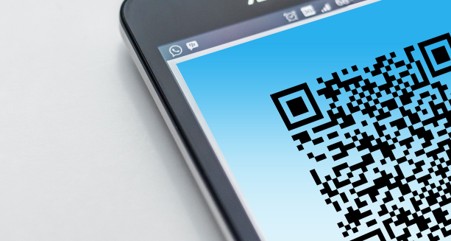
QR codes have become part of everyday business.
We scan them to view restaurant menus, pay for parking, connect to guest WiFi, access shared documents, verify accounts, and complete payments. Most of the time, we don’t think twice about it.
Cybercriminals know that.
As organizations have become more comfortable scanning QR codes, attackers have started hiding malicious links inside them to bypass traditional email security controls. The tactic has become so common that it now has its own name: quishing.
The reason it works is surprisingly simple. A QR code is just an image. Most security tools are designed to inspect text, links, and attachments, not necessarily the destination hidden inside a square barcode image. When someone scans that code with their phone, they often leave the protections of their corporate device behind.
In this article, we’ll explain what quishing is, why it has become so effective, the scams businesses encounter most often, and the practical steps that help keep your team safe.
What Is a QR Code Scam?
A QR code scam is a phishing attack that uses a QR code instead of a traditional hyperlink.
Rather than placing a suspicious web address directly into an email, attackers encode the link into a QR code image. The recipient scans the code, their phone opens the website, and they are taken to a fraudulent page designed to steal credentials, payment information, or other sensitive data.
The destination is usually familiar:
- A fake Microsoft 365 login page
- A counterfeit payroll portal
- An imitation banking website
- A fraudulent payment page
The QR code itself is not the threat. It is simply the method used to get users to a malicious website while avoiding traditional security checks.
Why QR Code Attacks Are So Effective
There are two major reasons QR code scams continue to succeed.
The Malicious Link Is Hidden Inside an Image
Most email security platforms analyze message content, hyperlinks, and attachments for signs of malicious activity.
A QR code hides the destination URL inside an image, making it more difficult for traditional detection tools to inspect.
From a security perspective, this creates a blind spot. The message may appear harmless because there is no visible suspicious link for users or filters to review.
The Attack Often Moves You to Your Phone
When employees click a suspicious link on a company managed computer, several layers of protection are often working behind the scenes:
- Endpoint protection
- Web filtering
- DNS security
- Browser security controls
- Threat detection tools
When a QR code is scanned with a personal mobile device, many of those protections may not exist.
Without realizing it, users move from a protected environment to an unprotected one, where attackers have a much better chance of success.
QR Code Phishing Is Growing Fast
QR code phishing is no longer a niche attack method.
Cybercriminals increasingly rely on QR codes because employees have been trained to be cautious about clicking links but may not apply the same skepticism when scanning a code.
Attackers frequently embed QR codes inside:
- PDF attachments
- Invoice documents
- Account verification notices
- Shared file requests
- Security alerts
Because the QR code appears inside an otherwise legitimate looking document, many recipients assume it is safe and scan it without hesitation.
What QR Code Scams Typically Look Like
While the presentation varies, most quishing attacks fall into a few common categories.
Fake Security Notifications
An email appears to come from Microsoft, your IT provider, or an internal administrator.
The message claims you need to:
- Reconfigure multi factor authentication
- Verify your account
- Prevent mailbox suspension
- Review unusual login activity
The email instructs you to scan a QR code, which takes you to a fake sign in page designed to steal your credentials.
Shared Document Requests
An email claims a colleague, vendor, or customer shared a document with you.
Instead of providing a direct link, the message asks you to scan a QR code to access the file.
Once scanned, you’re prompted to sign in, providing attackers with your username and password.
Fraudulent Invoices
A PDF invoice contains a QR code labeled:
“Scan here for faster payment.”
The code directs you to an attacker controlled payment page or fraudulent banking destination.
Delivery and Package Scams
Text messages and emails often claim you missed a package delivery and need to scan a QR code to reschedule delivery or pay a small fee.
In reality, the code directs victims to a credential theft or payment fraud website.
Tampered QR Codes in Public Places
Not every QR code scam begins online.
Attackers sometimes place stickers over legitimate QR codes found on:
- Parking meters
- Restaurant tables
- Event signage
- Public kiosks
- Payment terminals
You believe you’re scanning a trusted code but are actually being redirected to a malicious website controlled by a cybercriminal.
How to Protect Your Business
Defending against quishing attacks largely comes down to awareness and verification.
Treat QR Codes Like Links
A QR code should be viewed with the same level of skepticism as any unexpected hyperlink.
If a QR code arrives in an unsolicited email, especially one requesting credentials, payment information, or account verification, proceed carefully.
Check the Destination Before Opening It
Most smartphones display the destination website before loading it.
Take a few seconds to review the address.
If the domain looks unusual, misspelled, shortened, or unrelated to the organization you expected, do not proceed.
Go Directly to the Website Instead
If you receive a message saying your Microsoft account requires attention, don’t scan the code.
Instead:
- Open your browser
- Type the website address yourself
- Use a saved bookmark
- Access the service through your organization’s portal
Going directly to the source removes the risk of being redirected to a fraudulent site.
Be Wary of Urgent Requests
Attackers often try to create panic.
Messages claiming your account will be disabled, your payment is overdue, or action is required within 24 hours are designed to push you into acting before thinking.
Urgency is one of the most reliable indicators of a phishing attempt.
Use Strong Multi Factor Authentication
Even if a password is compromised, strong multi factor authentication can significantly reduce the chances of successful account takeover.
Options such as:
- Passkeys
- Hardware security keys
- Number matching authentication
provide stronger protection against phishing based attacks.
Inspect Physical QR Codes
Before scanning a QR code in public, take a moment to determine whether it appears genuine.
Look for:
- Stickers placed over existing codes
- Signs of tampering
- Misaligned or poorly printed labels
If something looks unusual, don’t scan it.
Educate Your Team
Many employees have received phishing awareness training focused on suspicious links and attachments but have never been warned about QR code scams.
A short awareness campaign with real world examples can significantly reduce risk across the organization.
What To Do If Someone Already Scanned One
If an employee scanned a QR code and entered information into the resulting website, act quickly.
- Change the affected password immediately.
- Change any other accounts using the same password.
- Verify multi factor authentication is enabled.
- Notify your IT team or security provider.
- Review account activity for suspicious logins.
- Contact your bank immediately if payment or financial details were entered.
Fast action can dramatically reduce the impact of a successful phishing attempt.
Frequently Asked Questions
Are QR codes safe?
Most QR codes are perfectly legitimate. The greatest risk comes from codes delivered through unexpected emails, text messages, or altered physical signage.
What is quishing?
Quishing is a phishing attack that uses a QR code instead of a traditional hyperlink to direct users to a malicious website.
Can email security stop QR code scams?
Sometimes, but not always. While many security vendors are improving image analysis capabilities, QR code attacks are specifically designed to bypass traditional link inspection methods.
Why are QR codes more dangerous than normal links?
A QR code hides the destination address from view and often moves users to a personal device with fewer security controls, making detection and prevention more difficult.
What if I scanned a suspicious QR code but didn’t enter any information?
If you immediately closed the page and provided no credentials, payment information, or personal data, the risk is generally low. However, it’s still a good idea to notify your IT team so they can monitor for any related activity.
Final Thoughts
QR codes have become a trusted part of modern business, which is exactly why cybercriminals are exploiting them.
The technology itself isn’t dangerous, but blindly trusting every code can be.
By treating QR codes with the same caution you would give an unexpected link, verifying destinations before signing in, and training employees to recognize quishing attacks, businesses can significantly reduce the chances of becoming the next victim.